

Your pharmacy.
Connected.
Manage counter sales, medicine stock, purchasing and hospital pharmacy workflows with Mr. Engineer. Explore the real interface—from pack and loose-unit billing to inventory alerts and operational reports.
Tell us how your pharmacy works. We’ll focus the walkthrough on the workflows you need.
Less switching. More clarity.
Sales affect stock. Purchases affect supplier balances. Patient dispensing affects hospital bills. Keep these connected workflows easier to follow, so staff can find the information they need without piecing together separate records.
Keep the counter moving.
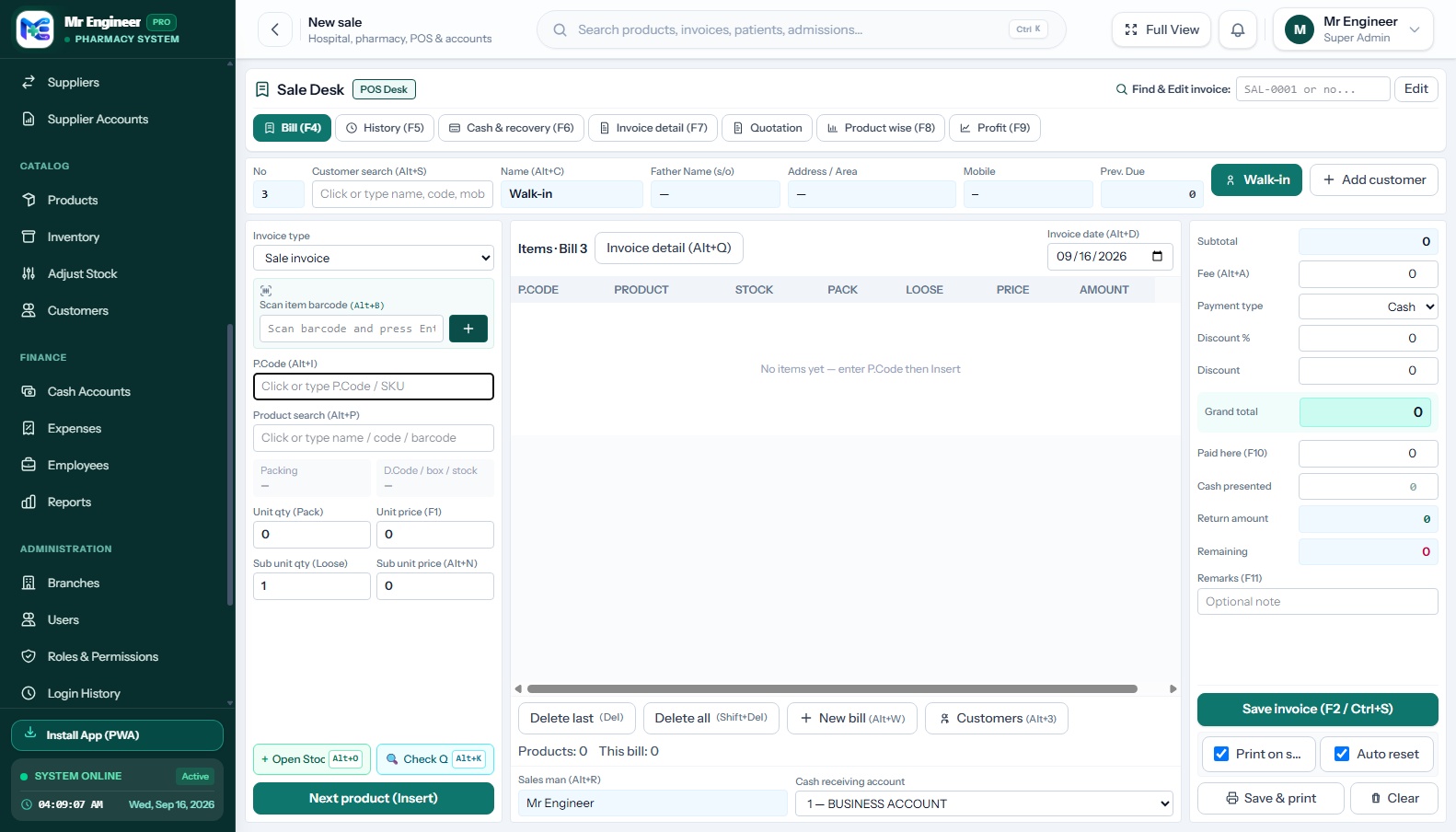
Search medicines, scan barcodes, handle pack and loose-unit quantities, and complete the sale from a focused POS workspace.
Know what is on the shelf.
Review stock by batch, follow expiry dates and receive supplier deliveries with the details attached.
See the wider operation.
Review branch activity, customer balances, expenses and hospital pharmacy charges from the relevant workspaces.
One system for the work behind every sale
Explore six focused capability groups connecting counter checkout, supplier receiving, inventory, branches, hospital care and financial records.
Pharmacy POS
Barcode search, keyboard shortcuts, returns and thermal receipts for everyday counter work.
Inventory and expiry
Pack sizes, batch balances, expiry alerts and FEFO dispensing support.
Purchases and suppliers
Receive medicines, capture batch details and follow supplier invoices and payments.
Multi-branch operations
Assign staff to branches and give authorized supervisors access to the locations they manage.
Hospital and IPD
Connect admissions, bed assignments, consultations and patient-linked medicine charges.
Accounts and reports
Follow cash and bank movements, expenses, customer balances and operational reports.
See the screens your team will work with.
Explore the Sale Desk, Purchase Desk, inventory lists and reporting screens. Each preview shows the supplied application interface, with sensitive information removed where needed.
Unmodified application capture. Demonstrates actual counter workflows and visible data columns.
Whole packs or individual units. Keep the quantities connected.
Sell a complete pack or dispense individual tablets and vials using the product’s configured pack size. The system connects pack and loose-unit entries with the stock quantity behind the sale.
*This is an example configuration, not a medicine-specific dosage or packaging rule. Pack and loose prices can differ based on your store pricing setup.
Give every batch a clear place in your stock workflow.
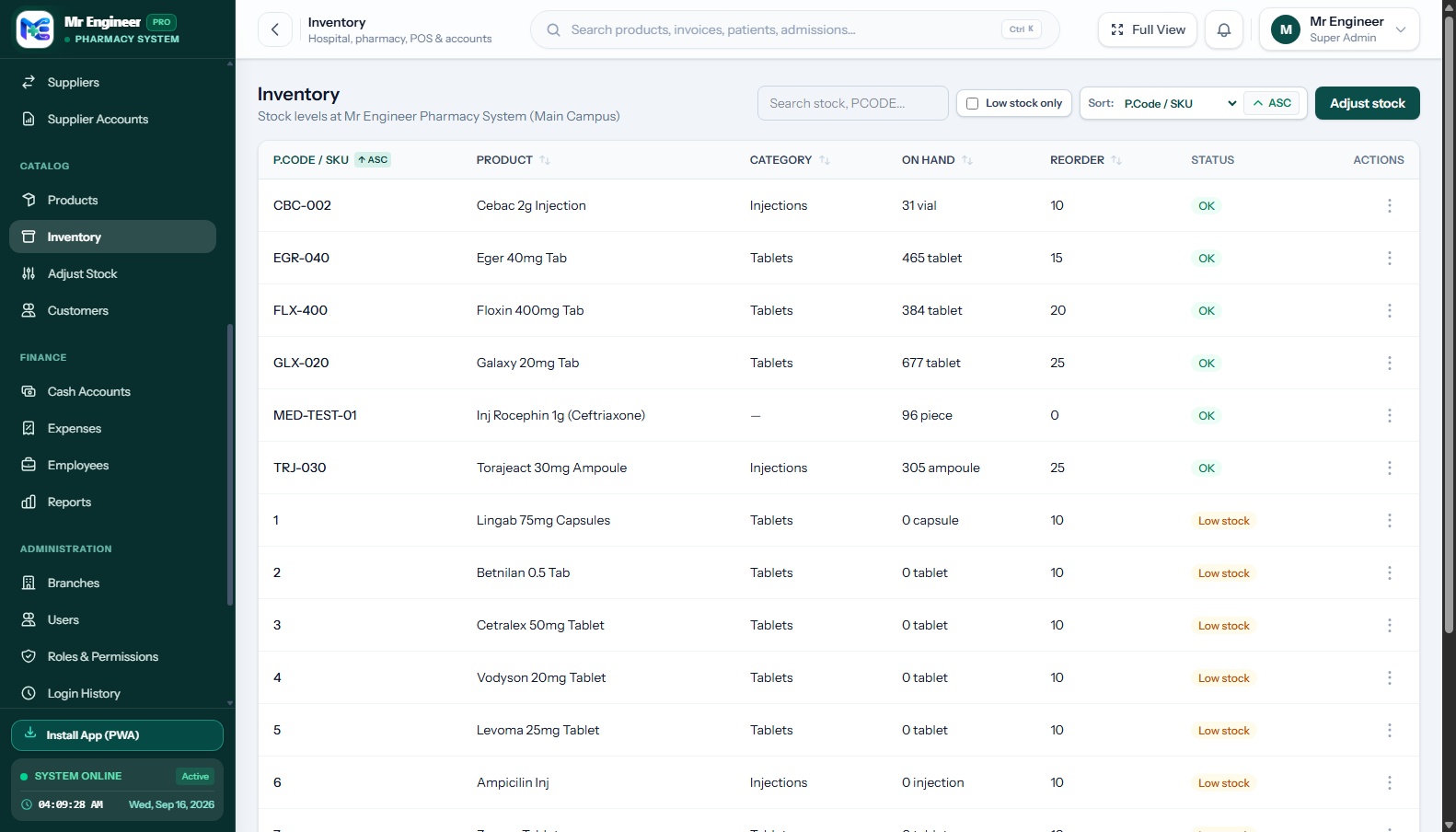
Track medicines by batch and expiry date. Use near-expiry alerts and first-expiry-first-out allocation to help your team identify stock that needs attention before it becomes a write-off.
Track batch numbers, expiry dates, and unit cost on inward deliveries.
Automated reorder triggers when medicine levels fall below minimum thresholds.
Watchlist highlighting batches expiring within the upcoming 6 months.
Audit logs for physical count verifications, breakages, and write-offs.
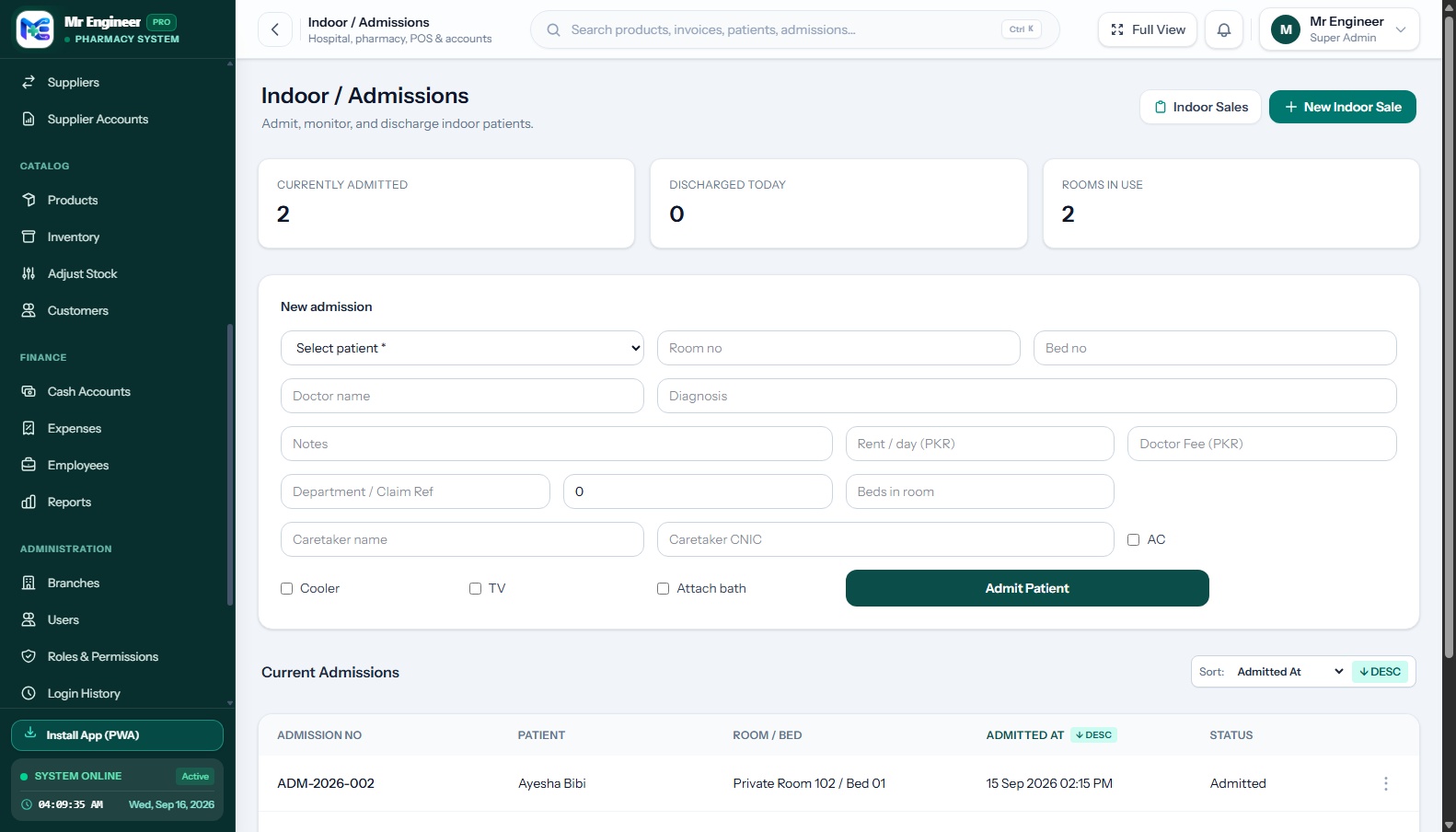
From admission to the final pharmacy bill.
Bring patient records, ward and bed assignments, doctor consultations and inpatient medicine charges into a connected IPD workflow. Prepare itemized records and discharge documents from the information recorded by your team.
Clinical Documentation: Emergency referral records capture staff-entered triage levels and vital signs. Certificate verification tokens support online document authenticity confirmation.
Local responsibility. Wider visibility.
Give branch teams access to the work they manage. Authorized supervisors can switch between assigned branches to review the relevant stock, sales and operational records.
Built for clear access and accountable work.
Manage staff permissions, review recorded activity and configure scheduled database backups. Keep operational responsibilities visible as your team grows.
Granular permissions separating counter cashiers, purchasers, accountants and ward attendants.
Detailed audit trail recording timestamp, acting user, module, and data modifications.
Automated MySQL database dumps with timestamped archives and restoration procedures.
Staff accounts locked to specific branches, with supervisor switching for managers.
*Deployment, backup storage and restore procedures should be agreed for your specific installation.
A demo built around your operation
Select the workflow profile that matches your business model. We’ll tailor your walkthrough to the exact features your team needs.
Retail pharmacy
Explore checkout, returns, customer balances and daily stock work.
Pharmacy group
Explore branch assignments, supervisor access and reporting needs.
Medicine distributor
Explore supplier records, purchasing and stock receiving, then confirm your wholesale requirements.
Hospital pharmacy
Explore admissions, patient-linked dispensing and discharge billing.
Discuss your setup in Pakistan or overseas.
Request a walkthrough for a pharmacy, medical store, pharmacy group or hospital. Tell us your city, country and operating requirements so we can assess the right configuration and deployment approach.
Frequently asked questions
Common operational, hardware, and deployment questions about Mr. Engineer.
Can I sell both full packs and individual units?
Does it track expiry dates?
Can it support more than one branch?
Does it include hospital pharmacy workflows?
Can I manage customer and supplier balances?
Does it work with barcode scanners and receipt printers?
See how Mr. Engineer fits your pharmacy.
Walk through the workflows that matter to your team—from counter sales and stock receiving to branch oversight and hospital billing.